
Tv Size Distance
The right TV size depends on how far away you sit and what you watch. Enter your screen size or your seating distance and the calculator shows the recommended distance range — from an immersive cinema-style 40° field of view to a relaxed 30° — plus the closest distance at which 4K or 1080p pixels stay invisible, and a comfortable mounting height.
- Free to use
- No sign-up
- Runs in your browser
TV size and distance calculator
TV & Living Room Planner
TV and living room planning kit: TV size and distance chart, living room layout grid, wall-mounting checklist and an Excel multi-room TV size calculator.
- Size chart (PDF/XLSX)
- Layout grid (PDF)
- Mounting checklist (PDF, DOCX)
- Calculator (XLSX)
Formats: PDF, XLSX, DOCX. Instant download after payment (link valid 72 hours, up to 5 downloads). AI-assisted: the templates were drafted with AI help and reviewed and laid out before publishing.
$5.00 USD, one-time 4 files · about $1.25 each
- Instant download
- 7-day refund
- Secure checkout by Stripe
7-day money-back guarantee. Full refund within 7 days of purchase, even after you download.
Free sample: TV Size Distance Chart (PDF, 53 KB)
Full refund within 7 days — see the refund policy and license.
Free printables
Single sheets you can print right now, no sign-up. The full pack adds every sheet in one download plus the editable files.
 Printable TV Size Distance Chart
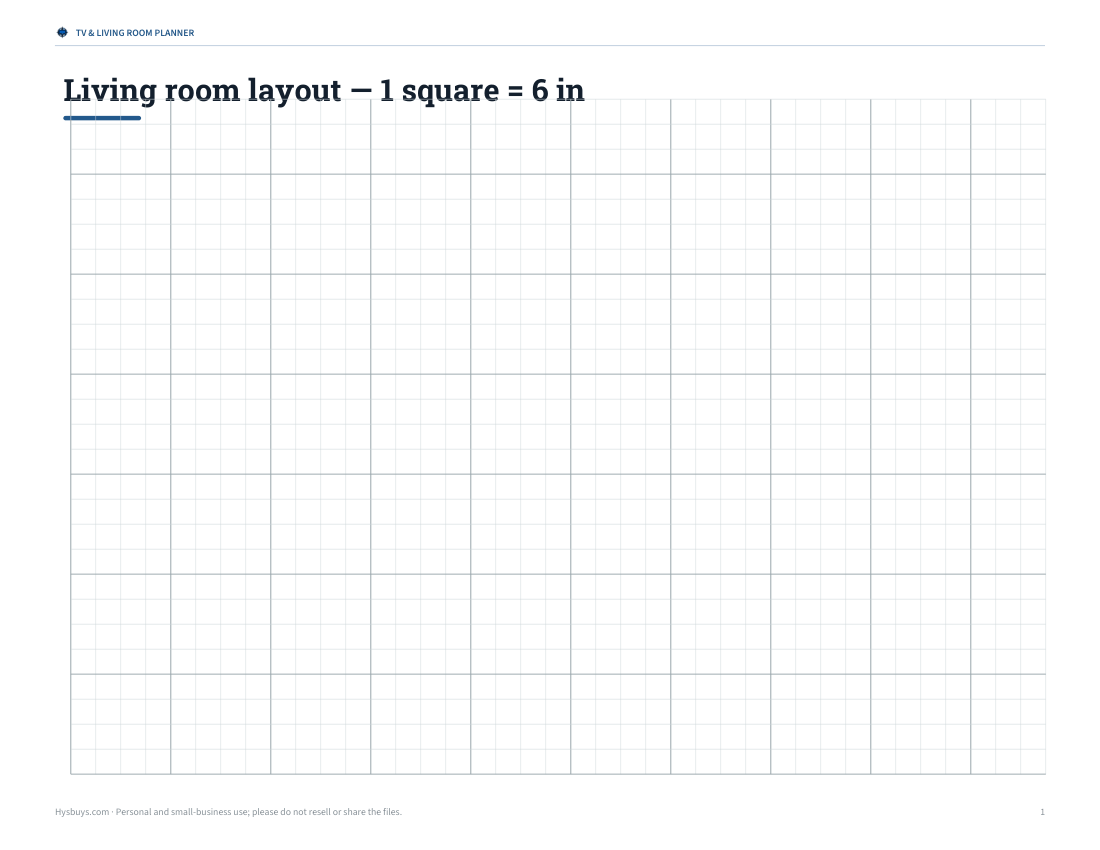
 Printable Living Room Layout Grid
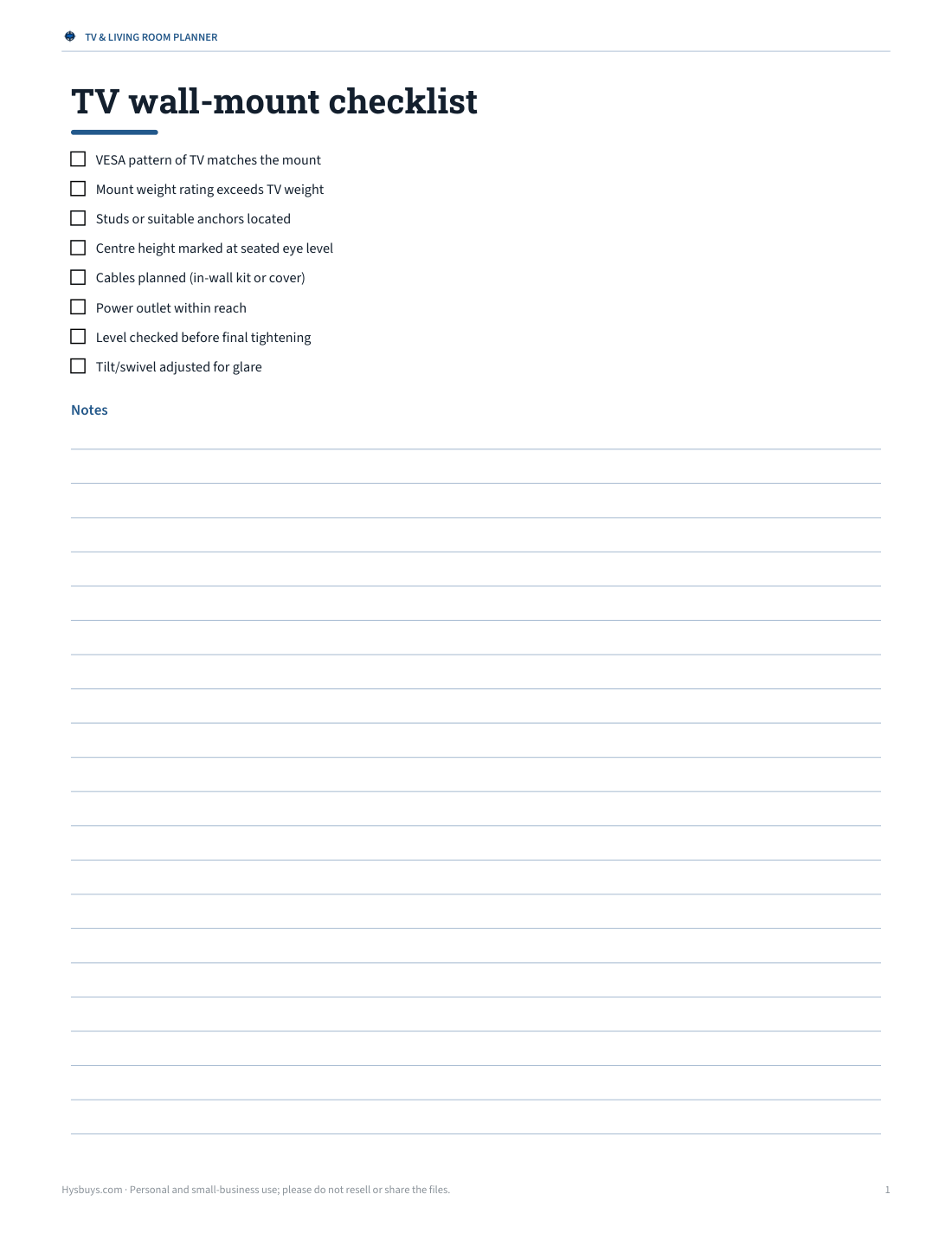
 Printable TV Wall Mount Checklist
 Printable TV Size Distance Calculator
Viewing distance guidelines
| Guideline | Field of view | Distance ≈ TV diagonal × | Feels like |
|---|---|---|---|
| THX (cinema) | 40° | 1.2 | Immersive, best seat in a cinema |
| SMPTE (mixed use) | 30° | 1.6 | Comfortable everyday viewing |
| 4K resolution limit | pixels at 1 arcminute | 0.8 | Closest before 4K pixels become visible |
| 1080p resolution limit | pixels at 1 arcminute | 1.6 | Closest before HD pixels become visible |
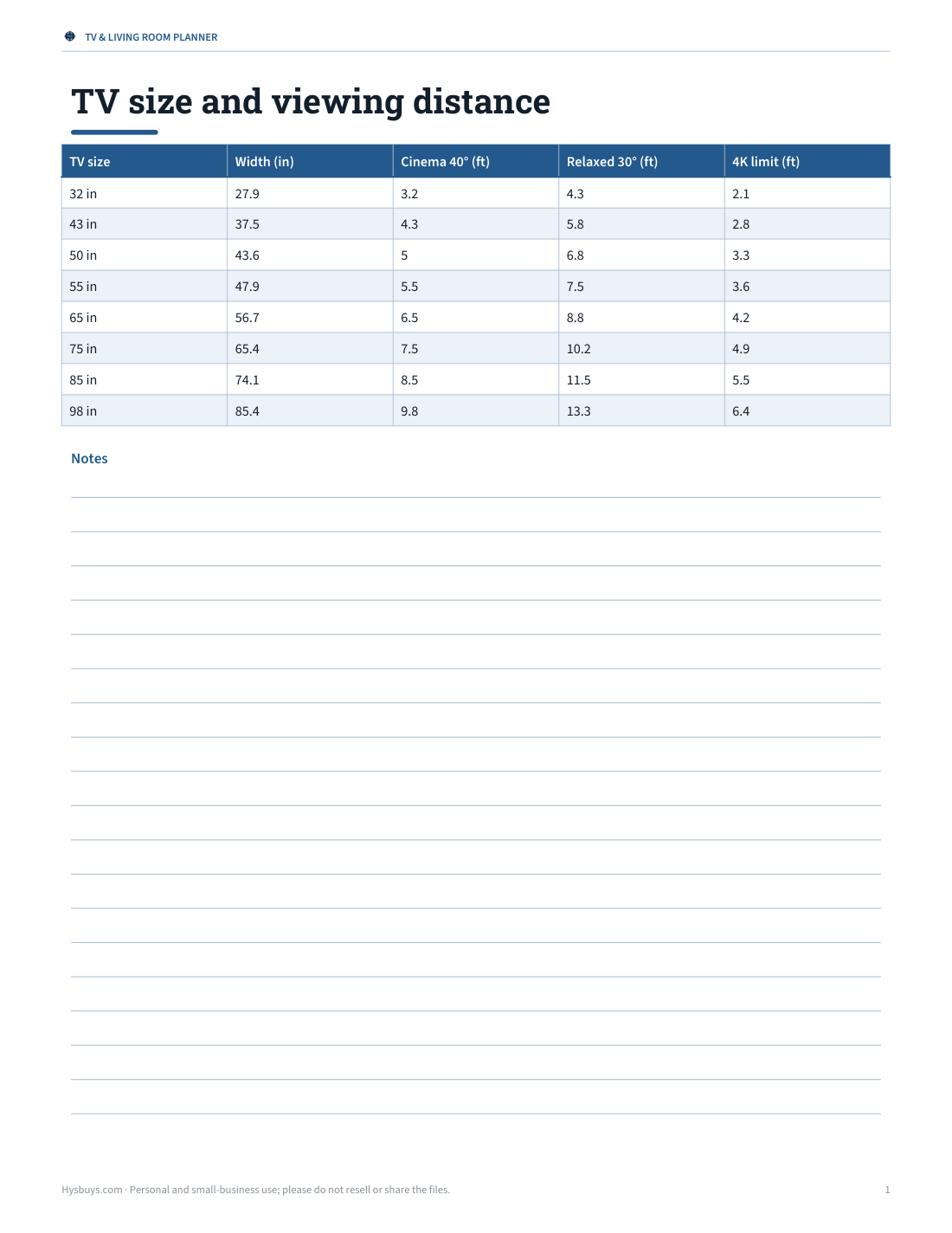
The multipliers apply to 16:9 screens measured diagonally. For a 65-inch TV, that means about 6 ft 6 in for a cinema feel and about 8 ft 10 in for relaxed viewing.
TV size and distance chart
| TV size | Cinema (40°) | Relaxed (30°) | 4K pixel limit |
|---|---|---|---|
| 43″ | 4 ft 3 in | 5 ft 10 in | 2 ft 10 in |
| 50″ | 4 ft 12 in | 6 ft 9 in | 3 ft 3 in |
| 55″ | 5 ft 6 in | 7 ft 5 in | 3 ft 7 in |
| 65″ | 6 ft 6 in | 8 ft 10 in | 4 ft 3 in |
| 75″ | 7 ft 6 in | 10 ft 2 in | 4 ft 11 in |
| 85″ | 8 ft 6 in | 11 ft 6 in | 5 ft 6 in |
| 98″ | 9 ft 9 in | 13 ft 3 in | 6 ft 4 in |
How to use the calculator
- Choose whether you know your TV size or your seating distance.
- Enter the diagonal in inches or your distance in feet or metres (measure from your eyes to the screen).
- Read the cinema, relaxed and resolution-based distances or TV sizes.
- Set your seated eye height to get a mounting height suggestion.
- Pick a size within the range that suits how you watch: movies and games favour the larger end.
Why resolution matters
People with normal vision can distinguish detail down to about one arcminute — a sixtieth of a degree. On a 4K TV, pixels are four times smaller than on a 1080p screen of the same size, so you can sit much closer (or buy a bigger screen) before the image looks soft or pixelated. From far away, the extra resolution of 4K is still there but harder to see; the resolution-limit distances show where each format’s detail is fully appreciated.
Mounting height
For comfortable viewing, the centre of the screen should be close to your seated eye level — typically about 40–42 inches (100–107 cm) above the floor for a sofa. Mounting a TV high above a fireplace forces you to look up and can strain your neck; if you must, choose a tilting or pull-down mount. In bedrooms where you watch lying down, a higher position can be comfortable.
Worked example
A living room with the sofa 8 feet (96 inches) from the wall suits a TV of about 59 inches for relaxed 30° viewing and about 80 inches for a cinema-style 40° view. A 65-inch or 75-inch 4K TV falls in that range. At 8 feet, 4K detail is fully visible on screens up to about 123 inches, so resolution isn’t the limiting factor — personal preference and room size are.
Projectors and very large screens
The same geometry applies to projector screens. A 100-inch 16:9 screen gives a cinema-style 40° view at about 10 feet and a relaxed 30° view at about 13.5 feet. Projectors need a darker room, and brightness drops as the image gets bigger, so check the projector’s throw ratio and lumens as well as the viewing distance. For ultra-wide 21:9 screens, measure the width rather than the diagonal and use the width-based formulas.
Distance for gaming
Gamers often sit closer than film viewers to see more detail and fill more of their field of view — many choose the cinema-style end of the range or closer. For fast-paced games, being able to see the whole screen without moving your eyes too much matters too; if you find yourself turning your head, sit a little further back. Refresh rate, input lag and HDR performance matter more than size for competitive gaming.
Other things to consider
- Room size and furniture — a very large screen can dominate a small room.
- Seating angle — if seats are far to the side, choose a TV with good viewing angles.
- Light — bright rooms benefit from brighter panels and anti-glare coatings.
- Content — sports and films in 4K reward larger screens; news and talk shows don’t.
- Wall space and stand width — check the TV’s actual width, not just the diagonal.
What the template pack includes
A printable TV size and distance chart, a living room layout planner on grid paper, a wall-mounting checklist, and an Excel calculator for multiple rooms.
Frequently asked questions
How far should I sit from a 65-inch TV?
About 6.5 to 9 feet, depending on how immersive you want it.
What size TV for 10 feet away?
Roughly 74 to 100 inches; 75–85 inches is a common choice.
What is the THX viewing distance?
About 1.2 times the diagonal, giving a 40° field of view.
Can you sit too close to a 4K TV?
Closer than about 0.8 × the diagonal you may start to notice pixels; otherwise it’s mainly comfort.
How high should a TV be mounted?
Centre of the screen at about seated eye level, around 40–42 inches from the floor.
Is a bigger TV always better?
Not if it’s too big for your distance; aim for the 30–40° viewing range.
Is my data stored?
No, the calculator runs in your browser.